
Ads insights are defined as the actionable analytics marketers pull from ad platforms to improve campaign performance and return on investment. Most marketing teams already have access to this data through Meta Ads Manager and Google Ads reporting. The problem is not a shortage of data. The problem is knowing which numbers to act on, how to read them correctly, and how to stop drowning in metrics that do not connect to revenue. This article covers the core metrics that matter, how to interpret platform data from Meta and Google, how to automate reporting, and the mistakes that silently wreck your analysis.
What ads insights actually are and why most teams misread them
Ads insights is the informal term marketers use for what the industry formally calls advertising analytics or ad performance reporting. The distinction matters because the two terms carry different expectations. “Insights” implies interpretation and action. Raw analytics is just numbers. The gap between the two is where most teams lose money.
The core value of advertising analytics is not the data itself. It is the decision the data forces you to make. A declining click-through rate tells you something is wrong. It does not tell you whether the problem is the creative, the audience, the offer, or the placement. That interpretation layer is what separates teams that improve campaigns from teams that just report on them.

Platforms like Meta Ads Manager and Google Ads each surface different layers of performance data. Meta organizes reporting around delivery, audience, and creative dimensions. Google Ads reporting centers on intent signals, auction dynamics, and conversion paths. Neither platform gives you a complete picture on its own, which is why unified reporting matters.
Which ad performance metrics truly matter?
Ad teams track over 60 metrics but should focus on no more than 3 primary KPIs per campaign to avoid analysis paralysis. That number is not arbitrary. The human brain processes trade-offs poorly when too many variables compete for attention. Three KPIs force prioritization.
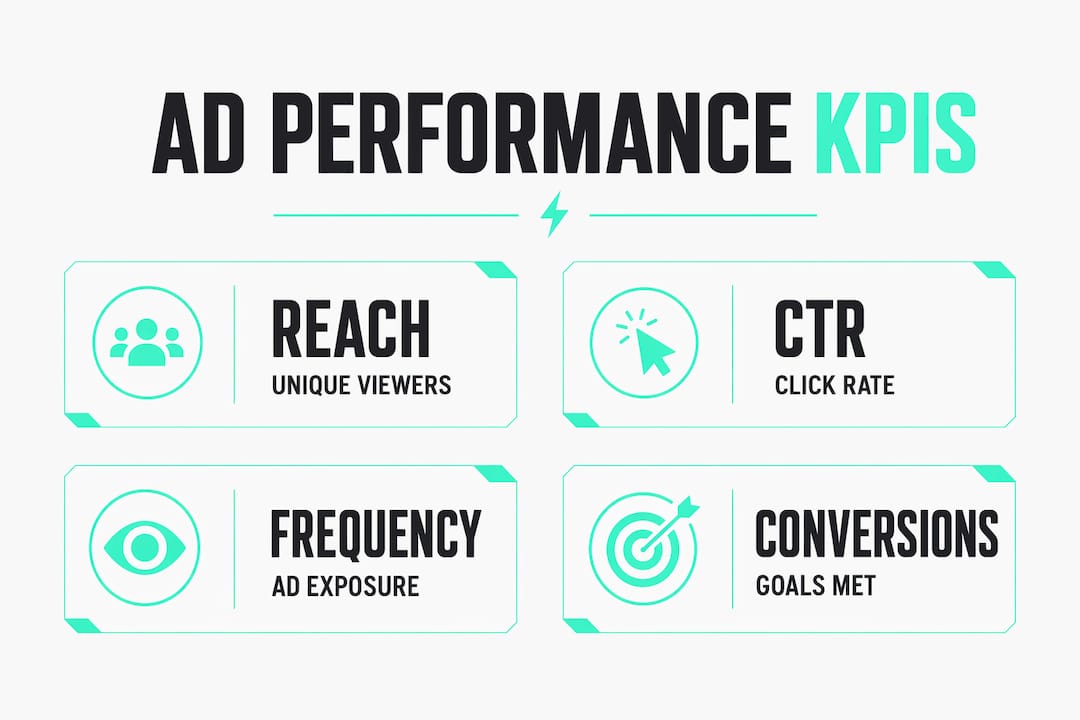
The right KPIs depend entirely on your campaign objective. A brand awareness campaign should track reach, frequency, and video completion rate. A traffic campaign should track CTR and cost per click. A conversion campaign should track cost per acquisition, return on ad spend, and conversion rate. Applying the same metric framework to every campaign type is one of the fastest ways to misread performance.
Here are 12 metrics organized by funnel stage:
| Funnel Stage | Metric | What It Measures |
|---|---|---|
| Awareness | Reach | Unique accounts exposed to your ad |
| Awareness | Frequency | Average times each account saw your ad |
| Awareness | CPM | Cost per 1,000 impressions |
| Awareness | Video completion rate | Share of viewers who watched to the end |
| Consideration | CTR | Clicks divided by impressions |
| Consideration | CPC | Cost per individual click |
| Consideration | Engagement rate | Interactions divided by reach |
| Consideration | Quality Score (Google) | Ad relevance, landing page, expected CTR |
| Conversion | CPA | Total spend divided by conversions |
| Conversion | ROAS | Revenue divided by ad spend |
| Conversion | Conversion rate | Conversions divided by clicks |
| Conversion | Impression share | Your impressions vs. total available (Google) |
Pro Tip: When your campaign objective changes mid-flight, rebuild your KPI scorecard from scratch. Carrying over metrics from a previous objective creates false benchmarks and bad decisions.
How to interpret Meta Ads insights to diagnose campaign health
Meta Ads Insights surfaces three distinct intelligence layers: delivery, audience, and creative. Each one answers a different diagnostic question, and reading them in isolation gives you an incomplete picture.
Delivery insights tell you whether your ad is reaching people efficiently. The key signal here is the relationship between frequency and CTR. Frequency above 3.0 with declining CTR indicates creative fatigue. That combination means your audience has seen the ad enough times that it has stopped working. The fix is not a budget adjustment. It is a new creative or a refreshed hook.
Audience insights reveal who is actually converting versus who you targeted. The highest-converting segments often differ from initial targets. A 35–44 age group may convert at twice the rate and half the cost of a 25–34 group you originally built the campaign around. Ignoring this data means you keep paying to reach the wrong people.
Creative insights show which ad formats and elements drive results. Meta breaks this down by placement, format, and individual asset performance. Use this layer to build your swipe-file of winning angles before you brief your design team.
Here is a step-by-step process for analyzing Meta Ads Insights effectively:
- Set your date range to at least 14 days to smooth out day-of-week variance.
- Filter by campaign objective to keep your KPI scorecard relevant.
- Check delivery insights first: flag any ad set with frequency above 3.0 and falling CTR.
- Move to audience insights: compare converting demographics against your original targeting parameters.
- Open creative insights: rank ads by CPA or ROAS, not by spend or impressions.
- Export the top three and bottom three performers for your creative debrief.
Pro Tip: Monitor your attribution window settings before drawing conclusions. Meta’s default attribution window in the UI may differ from what your API pulls, which creates discrepancies that look like performance swings but are actually data mismatches.
Understanding Google Ads analytics: key metrics and reporting nuances
Google Ads metrics split into two categories: absolute and derived. Absolute metrics like impressions and spend are raw counts. Derived metrics like CTR and CPA are calculated from those counts. The distinction matters the moment you start aggregating data outside the platform.
The most common aggregation error is averaging derived metrics directly. CTR should be recalculated from summed absolute metrics, not averaged across rows. If campaign A had 1,000 impressions and 50 clicks, and campaign B had 100 impressions and 40 clicks, the blended CTR is 90 divided by 1,100, which is 8.2%. Averaging the two CTRs directly gives you 27.5%. That number is wrong and will mislead every decision downstream.
Google Ads also surfaces auction insights, which show how your ads compete against other advertisers in the same auctions. Impression share is the headline metric here. Low impression share with a high budget signals a Quality Score problem, not a spend problem. Quality Score itself breaks into three components: expected CTR, ad relevance, and landing page experience. Each one has a distinct fix.
For video campaigns on YouTube, watch time and view-through rate matter more than clicks. A viewer who watches 30 seconds of a skippable ad and does not click has still received your message. Treating video campaigns with click-based KPIs undervalues their contribution to the funnel.
How to automate ad reporting and save real time
Manual reporting is the single biggest time drain in most marketing operations. Automated reporting systems can reduce data collection time by up to 70% while giving teams 24/7 dashboard access. That time savings compounds: hours recovered each week translate directly into more time for analysis and creative work.
The goal of automation is a unified dashboard that pulls from Meta, Google, and any other active platforms into one view. Getting there requires a few prerequisites:
- A data warehouse or cloud storage layer (Google BigQuery is a common choice)
- API access credentials for each ad platform
- A transformation layer to clean and standardize data before it hits your dashboard
- A visualization tool to surface the metrics your team actually uses
The Meta Ads API introduces a specific technical challenge. The ‘actions’ and ‘action_values’ fields return nested JSON arrays that require preprocessing before they are usable in a dashboard. Skipping this step breaks your conversion and revenue reporting. Teams without data engineering support often hit this wall and fall back to manual exports.
Pro Tip: Always specify attribution windows explicitly in your Meta API requests. The default window the API applies may not match what you see in Ads Manager, and that gap creates phantom performance swings in your automated reports.
Common mistakes when analyzing advertising data
Most analysis errors fall into a small number of repeatable patterns. Recognizing them early saves you from making decisions on bad data.
- Tracking too many metrics. More than three primary KPIs per campaign objective creates noise, not clarity. Cut the list ruthlessly.
- Ignoring attribution window differences. Meta and Google use different default windows. Comparing CPA across platforms without aligning windows produces meaningless numbers.
- Averaging derived metrics. Never average CTR, CPA, or ROAS across time periods or ad sets. Always recalculate from the underlying absolute metrics.
- Missing creative fatigue signals. Frequency above 3.0 with a falling CTR is a clear warning. Most teams catch it two weeks too late, after spend has already been wasted.
- Using the wrong KPI scorecard. Brand awareness campaigns and direct-response campaigns need separate scorecards. Mixing them hides what is actually working.
A practical check: before any reporting cycle, confirm your attribution windows are aligned, your derived metrics are recalculated from raw data, and your KPI list matches the current campaign objective. Three checks, done consistently, prevent most of the errors above.
Key Takeaways
Effective ad campaign analysis requires the right metrics, correct data aggregation, and platform-specific interpretation to produce decisions that improve ROI.
| Point | Details |
|---|---|
| Limit KPIs per campaign | Focus on no more than 3 primary KPIs per campaign objective to avoid analysis paralysis. |
| Watch frequency on Meta | Frequency above 3.0 with declining CTR signals creative fatigue; refresh the creative immediately. |
| Recalculate derived metrics | Never average CTR or CPA directly; sum absolute metrics first, then recalculate the rate. |
| Align attribution windows | Set attribution windows explicitly in API calls to match UI reports and prevent data discrepancies. |
| Automate to save time | Automated reporting cuts data collection time significantly, freeing teams to focus on interpretation. |
What I’ve learned from watching teams misread their own data
The most expensive mistake I see is not a technical one. It is a structural one. Teams build one reporting template and apply it to every campaign they run, regardless of objective, platform, or audience. The numbers look tidy. The decisions are wrong.
The second pattern I see constantly is over-reliance on platform-native reporting without ever questioning the defaults. Meta’s default attribution window is not the same as Google’s. Neither one is “correct.” They are just different. When you pull data from both platforms into a single report without aligning those windows, you are comparing apples to engine parts.
The teams that get this right share one habit: they treat their KPI framework as a living document. They revise it when campaign objectives shift, when platforms update their measurement models, and when new creative formats change what “engagement” actually means. That discipline, combined with automation that handles the data plumbing, is what separates teams that report on performance from teams that actually drive it. Socialfuel was built around that exact philosophy: give marketers the intelligence layer so they can spend their time on decisions, not on spreadsheets.
How Socialfuel puts your ad intelligence in one place
Pulling clean, comparable data from Meta, Google, Instagram, and YouTube into a single view is exactly what Socialfuel was built to do. The platform lets you search any brand, keyword, or URL to surface winning ads across all four channels, then save and analyze individual ads or full campaigns to decode the hook, angle, and creative strategy behind them.

Socialfuel’s AI-powered intelligence layer removes the manual work of cross-platform reporting and gives you a clear read on what is working in your market right now. If you are running paid campaigns and want faster, cleaner ad campaign analysis without the data engineering overhead, Socialfuel is worth a serious look.
FAQ
What are ads insights?
Ads insights is the informal term for advertising analytics data that shows how your campaigns are performing across metrics like CTR, CPA, and ROAS. The goal is to turn that data into decisions that improve campaign ROI.
How many metrics should I track per campaign?
Focus on no more than 3 primary KPIs per campaign objective. Tracking over 60 metrics causes analysis paralysis and slows down decision-making.
What does frequency above 3.0 mean on Meta?
Frequency above 3.0 with a declining CTR signals creative fatigue. Your audience has seen the ad too many times and is no longer responding. Refresh the creative or rotate to a new angle.
Why do my Meta API numbers differ from Ads Manager?
The most common cause is mismatched attribution windows. Failing to specify attribution windows in your API request means the API applies a default that may not match what Ads Manager displays.
How do I correctly calculate CTR across multiple campaigns?
Sum the total clicks and total impressions across all campaigns first, then divide clicks by impressions. Averaging CTR directly across rows produces a weighted average error that skews your read on performance.